Bunker level kit (W.I.P) feedback wanted

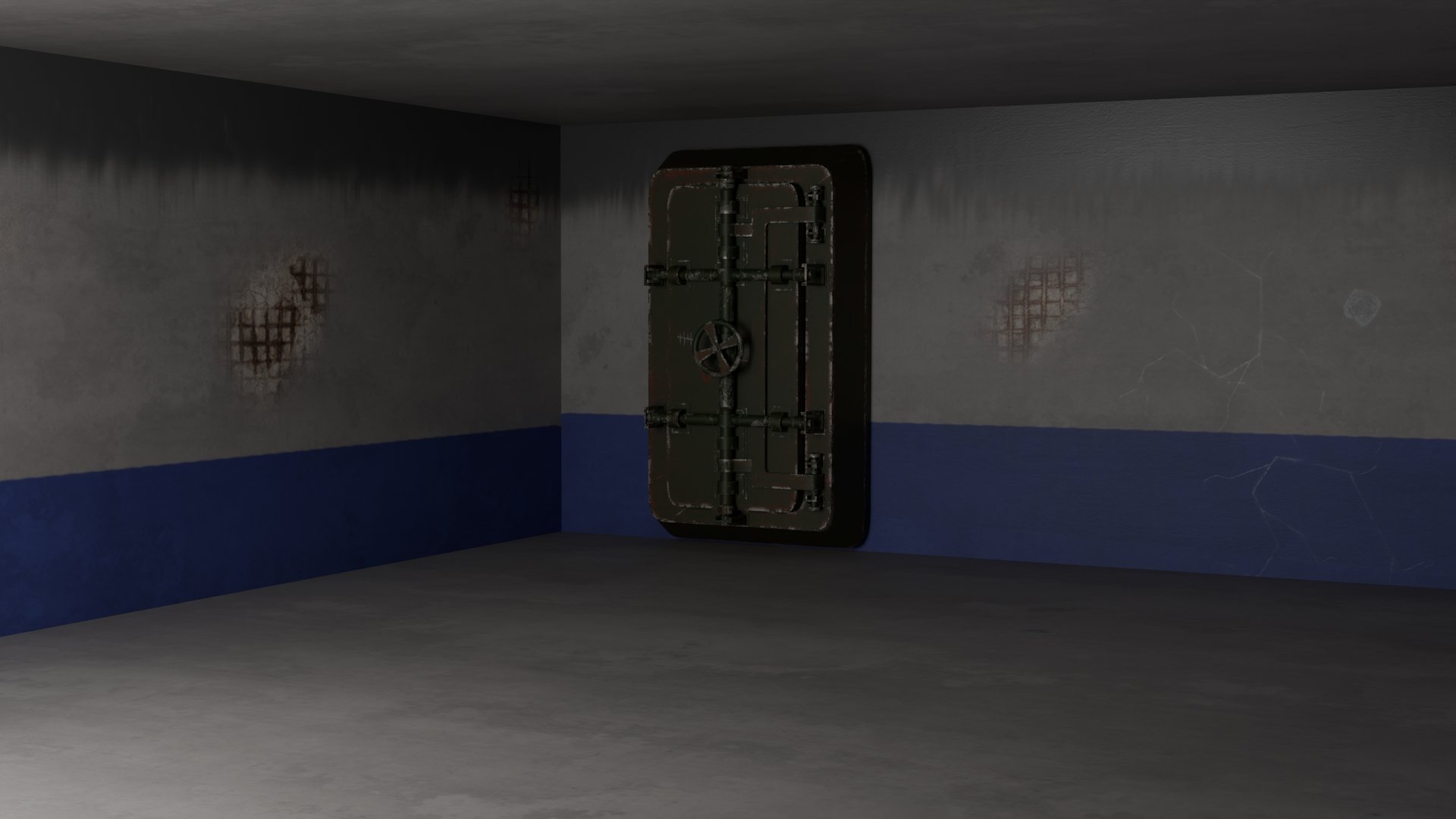
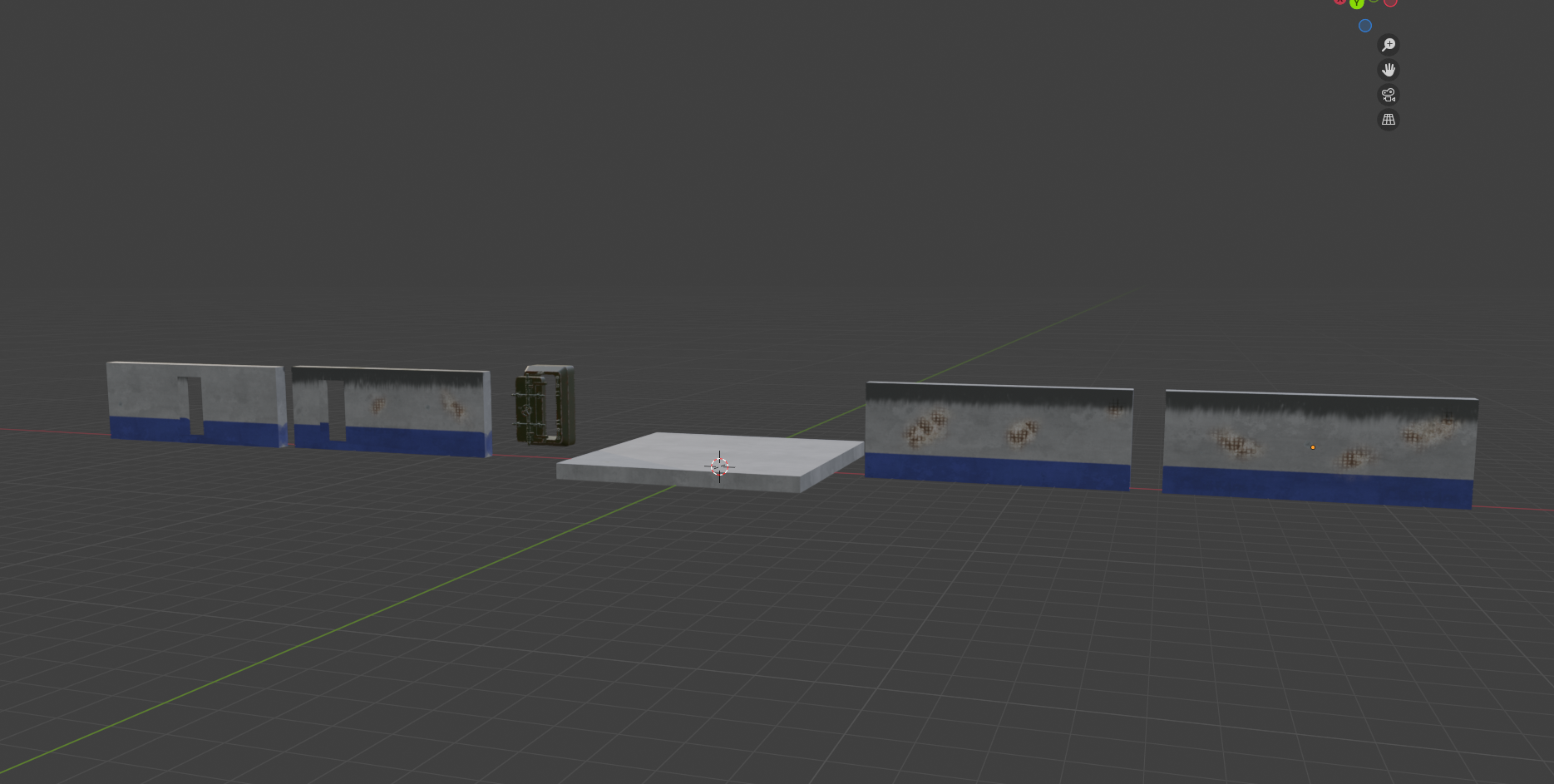
I'm a 3rd year university student and I'm starting the creation process of developing a bunker room level kit for part of my course. This is my progress so far. I used blender for the modelling and substance painter for the texturing and would like some feedback on how I could make any of it look better mainly from a texturing point of view since that's where I'm lacking in experience and skill.
Replies
If this is for a game project, I recommend getting this into engine early and frequently checking there while working, using the game camera. Overall it might be worth blocking a play-space out first, then making it pretty.
What is your approach to texturing? For level modules I would look into blending tiling texture sets using masks (vertex color, texture map using second UV channel?) Ideally you'd want some depth where you have wall damage. There's multiple ways can achieve it and you need to evaluate what approach makes sense. Options that come to mind: displacement, parallax occlusion mapping, actual modeling of the damage (boolean cutout, revealing lower layer, cover edge with a strip), ... Additional details could be added using decals.
Perhaps the 'Modular environments' page in the wiki contains some information you can use for your environment.
Good luck with the project!
I think your level is coming along nicely. One thing that would really help is to start blending textures together, to add variation. The walls, ceiling, and floor could really use some variation in surfaces.
I recently saw this, a great video at the bottom of this page (plus all the beuaty above it!) https://www.artstation.com/artwork/4965R1
You could also think about starting to bake lightmaps, to get higher-quality lighting. For example, here's a breakdown of how they did the lighting in The Last Of Us Part 2 https://polycount.com/discussion/comment/2731415/#Comment_2731415
Looking at the reference images, I think a lot of the bunkers shown have some sort of cast concrete floors, some brushed/ polished, giving them a smoother/ more reflective appearance than the walls.
The wood of the hanging desk is a good example of the normal map being too intense. Imagine trying to write something with pen on paper on a surface this irregular/ bumpy. With wood, I would also check that the grain direction makes sense (front facing edge). I suppose generally you could ask yourself if this construction is stable long-term, possibly the wood would hang through in the middle over time or start breaking at the fixtures. Perhaps some kind of metal frame would add stability.
Cool to see some image references
Good luck with your project!
As an update I've modeled and made the addition of a dirty bed to the scene. I've also made some changes based on feedback such as upscaling the textures for the walls and floor so they don't look so pixelated as well as making the floor a little shinier for that cast concrete effect. Regarding the comment on the intensity of the normal map, I've deliberately made it intense on the desk to give it a worn look or as if the wood was salvaged and shoddily crafted together into a makeshift desk, so it's impractical but "does the job", if that makes sense.
Also regarding the idea of baking light maps, this is supposed to be a modular kit that can have objects placed wherever the user desires, not a static scene. I'm not sure how baking lightmaps work, but would it work in this case?.
Any feedback would be helpful
Like @Eric Chadwick mentioned, you'll want to look at blending textures (via resources such as the link he provided relating to LOU2.) Even at this stage, you could explore Vertex Painting (this video is a straightforward intro to the feature) for simple adding of variation to your walls and floors; for example: you could blend your current base concrete floor with two other tiling materials (one could be a scuffed/worn one with higher roughness, another could be a level below that that represents holes/chunks missing) and your wall could likewise be one as your base, another is a layer of dust or grime/oil, maybe another is deeper damage showing more of the rebar underneath. Hope that makes sense!
On your points regarding baked lighting / modularity: do you mean pieces will be moved or placed by the player/user during gameplay or do you mean the pieces will be placed in editor as part of building out variations (like you are doing right now?) This will influence what makes sense in terms of baked lighting, imo. Having said that, is the intent of the project to learn baked lighting or to get your arms around modularity? Using Lumen may be a better approach if this is more about getting comfortable with modularity & building out an environment with those pieces.
If baked lighting is a must for the project, then I'd recommend (if you haven't already) start with Epic's breakdown of Understanding Lightmapping, do some test bakes of your lighting + experiment with moving some of the meshes in your scene then rebaking, etc; I personally found lightmaps/baked lighting is better understood getting hands-on and seeing how it behaves for yourself.
Keep it up! You're definitely going in the right direction.
In response to questions, the level kit is designed to be used by game devs in unreal engine to make levels for their game. the assets will be put up on the FAB store as a collection of assets, but not already assembled into a room. I'm making a room with my assets as an example for what can be done with them.
I've been having some problems with opacity maps, which I've resolved, but in turn has brought about a new problem; when I use opacity maps in the same texture as other objects, all the other objects textures become darker and shinier than they should be / originally were and don't cast a shadow (The gas lamp, chair, desk lamp, shelf, can and map). if anyone has a solution to this, I'd love to know. As always, any feedback is much appreciated