How are these mixer textures generated?

Hi,
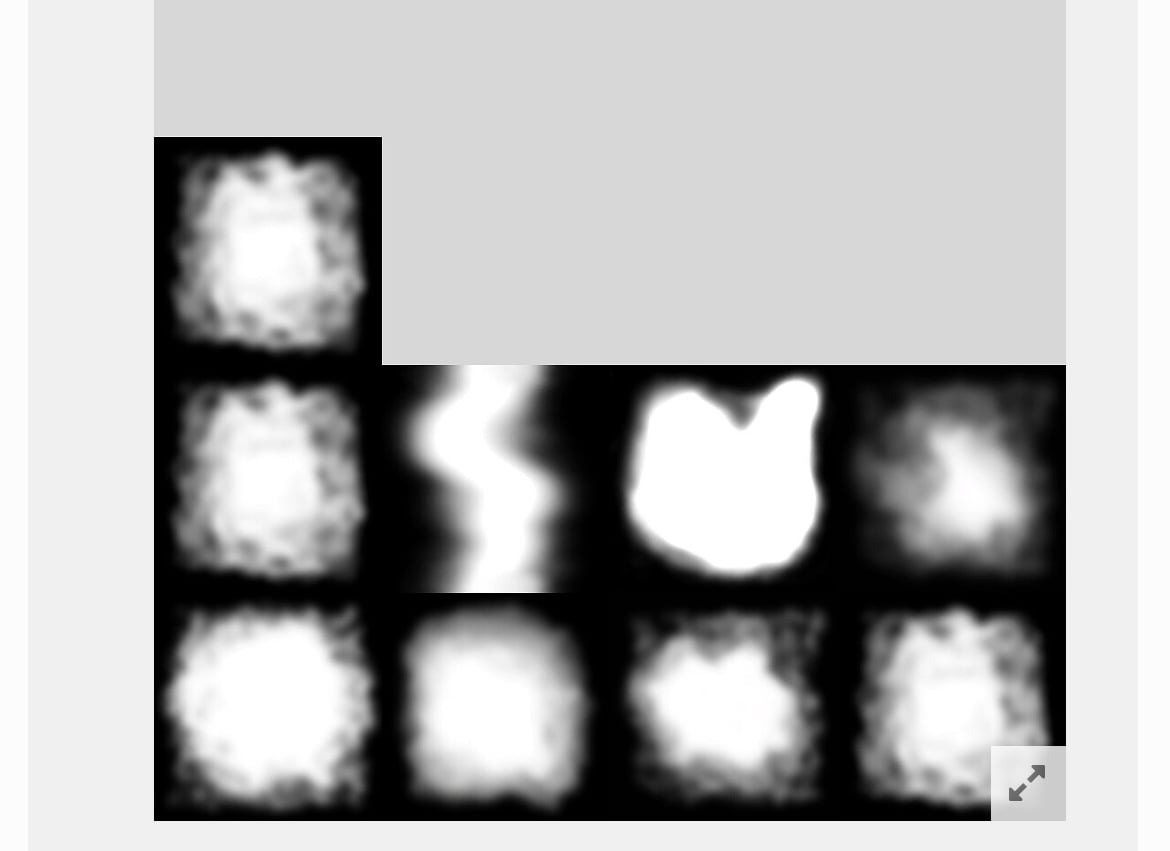
I have these mixer textures for terrain blending (images attached) and I’m curious how they’re made. Are they procedural (generated by code) or usually hand-painted? Any tips or references would be great.
Thanks!

Replies
..so maybe mix some cloud texture..
If you need one fast - paint it.
If you need many unique ones - procedurally generate it.
@dimwalker
I need the mixer texture to be fully white at the center and fade to transparent at the edges randomly.
Is there any code example or repository for this? I want to generate the texture at app start.
Is it possible to do this in Unity? And I need the center to be more white than the edges.
or you could simply composite images.
either way, the result will depend entirely on how you combine your gradients/distancefields/however you choose to think of it
here is an example in substance designer. the maths translate 1:1 to any shading language and can be easily ported to code.
The simplest case is to add the two images and then multiply the result by your "shape" (polygon2/input0 in the attached image) - This relies on values outside of 0:1 in order to work so you must set your graph to work with HDR/float data in substance
if you work with cpu code make sure you're working with float data rather than 0-255 and it'll work
if you're doing it in shader code it'll just work.
There are many ways to composite the images, this example is as simple as it gets while still guaranteeing that the values in your "shape" image are respected (if you put 1.0 or 0.0 in your shape image, it will remain the same value in the output)
This one looks really promising — it’s much closer to what I wanted. Thanks a lot!
Thanks for the solution — I’ll give it a try later.