Home Technical Talk
The BRAWL² Tournament Challenge has been announced!

It starts May 12, and ends Oct 17. Let's see what you got!

https://polycount.com/discussion/237047/the-brawl²-tournament

Simple, artist friendly version control?

grand marshal polycounter
Offline / Send Message
Alex_J grand marshal polycounter
Anybody have a recommendation for some version control software that's relatively easy to pickup and foolproof?

I only need it for local backup and revisions, no collaboration.

I have some storage space with unity collab. That might be easiest thing because its dead simple. But it's also kind of buggy and I don't really trust it. Mostly I am backing up assets, but there is some scripts as well.

Replies

  • spacefrog
    Offline / Send Message
    spacefrog polycounter lvl 16
    I would use SVN ( TortoiseSVN to be exact ) for anything that involves large binary files
  • sharsein
    Offline / Send Message
    sharsein polycounter lvl 9
    Perforce https://www.perforce.com/downloads/helix-visual-client-p4v is good for backing up art assets, I use it for both work and personal stuff. What's nice for artists is that it tracks revisions per asset rather than having branches where the assets are at a certain state that need merged with your revisions (which would be better for prototypers). 
  • Alex_J
    Offline / Send Message
    Alex_J grand marshal polycounter
    Thanks for suggestions guys. Somebody turned me on to a program called BeyondCompare which fits my needs almost perfectly. It's not a real version control, but basically automates identifying changes between folders and then can merge items as well. So for just backing up maya files mainly this is good for me.

  • zachagreg
    Offline / Send Message
    zachagreg ngon master
    I have personally had issues with TortoiseSVN in regards to Unity and it's meta files on multiple occasions. I recommend Perforce. Which is free for one man teams and less than 5 people. As for storage space for a depot I'd recommend just getting a new SSD if need be rather than one of the services. Better for your money in the long run.
  • Alex_J
    Offline / Send Message
    Alex_J grand marshal polycounter
    @zachagreg , if it's just as a backup device, any reason for an SSD versus regular hard drive? I assume SSD is more expensive.
  • zachagreg
    Offline / Send Message
    zachagreg ngon master
    SSDs are generally safer and less prone to failure. Faster read and write times make a difference when you're having to move potentially large amounts of backup data around. You are correct that they are more expensive but it depends on how often you've been touching said backup data. If its more for archival sake and your just dumping legacy files into it a mechanical drive should be fine.

    I say an SSD also because if you are source controlling it helps to have the extra read write speeds when doing your commits.
  • Alex_J
    Offline / Send Message
    Alex_J grand marshal polycounter
    @zachagreg , thanks.

    If you don't mind one more question... any reason you prefer to backup to a local device like that, versus some cloud storage like dropbox?
  • zachagreg
    Offline / Send Message
    zachagreg ngon master
    It's just a matter of money for time and storage if that makes sense. If I know I just need more storage I'd rather sink the money for a physical drive I can use in the future rather than essentially rent space for the time I'm using it. Nothing wrong with cloud storage services and some like box and OneDrive have built in source control too more or less.

    It's mainly just a preference of having the space and device for future use or needing some space now and not necessarily later.
  • Eric Chadwick
    I highly recommend getting a NAS device, and making sure your backups are redundant. I know it's a bit of a cost, but it's saved my ass many a time, and most of them have versioning built in. Plus it works as a great media server, for movies, pics, etc.
  • Shrike
    Offline / Send Message
    Shrike interpolator
    Tortoise SVN is probably the simplest with full manual version control

    Create syncronity is the cheap ass solution, just writes backups each X hours to another harddrive but no versioning

    I used a cloud drive from Sync.com which has versioning when I worked by myself, that worked very well but such should not be recommended for teams. There can be sync errors but so far I got everything back, and this is automatic no annoying manual versioning, as such I would recommend that, as you have to do nothing and can bring it with you.
  • Obscura
    Offline / Send Message
    Obscura grand marshal polycounter
    Perforce is ez but not free. I find it easier than tortoise svn. Easier to resolve issues if they occur, but they also occur less. At least with Unreal, which has it integrated inside the editor so it throws warnings in your face if you touch files that are checked out by someone else. You can also submit and check things out from inside the editor.It also works better with large files.
  • Eric Chadwick
  • Alex_J
    Offline / Send Message
    Alex_J grand marshal polycounter

    can you elaborate what you meant here :
    "making sure your backups are redundant"

    Do you mean that I should have two separate back up locations? or like, sort of like rotating stock? in that before you overwrite backup A you save a backup B first?


  • Eric Chadwick
    Backup Golden rule is: 3-2-1 (at least 3 copies of your data, in at least 2 different machines, with at least one off-site copy)
    https://www.reddit.com/r/qnap/comments/dehngo/how_to_protect_your_data_raid_is_not_a_backup/
  • Alex_J
    Offline / Send Message
    Alex_J grand marshal polycounter
    awesome, thanks
  • gnoop
    Offline / Send Message
    gnoop sublime tool
    zachagreg said:
    SSDs are generally safer and less prone to failure.

    Surprisingly  my experience is quite opposite.     J have just  had my 4th  SSD    bricked  since  2015.      All of them  showed perfect health and then suddenly just turned to a brick   after  a sudden electricity  off   or just reset button pushed .      While I had HDD  issues too   usually they work  decade at least .

    With HDD you at least get some warning of bad sectors or something before they die

  • Alex_J
    Offline / Send Message
    Alex_J grand marshal polycounter
    gnoop said:

    Surprisingly  my experience is quite opposite......


    Mind sharing brands?

    I am still on my first since 2017. It's covered in dog fur.
  • gnoop
    Offline / Send Message
    gnoop sublime tool
    First it was small SSD  128 gb  connected to motherboard m2 slot.  I can't recall  the brand. Died after BSD and reset
    Then  Toshiba  250 gb .    Died after a black out
    Then  Samsung 500 gb    After sudden electricity off  for couple minutes
    And just now another Samsung  on my older PC   after I had to reset  it several times during re-booting.

    My impression  SSDs  don't like any  sudden power off  .    Perhaps with a battery  power unit they could be safer then HDD  but I never had one.


  • Alex_J
    Offline / Send Message
    Alex_J grand marshal polycounter
    Mine is a brand called "Crucial." Just anecdote but I know it's been through a couple outages that I can remember. Its 256gb. Somebody who is hardware savvy told me that SSD's perform best when they remain something like 25% below capacity, so I always keep it that way. Dunno if that makes any difference but its something I do.

    And you use a surge protector? That is supposed to protect for that sort of thing, right?
  • gnoop
    Offline / Send Message
    gnoop sublime tool
    I use a typical APC branded thing with a row of outlets.     I think it does have  some surge protection   but  not a battery   like  UPS .    And I have HDDs too  in same PCs.   A couple of them actually .   They  are always just fine   after sudden power off.
  • zachagreg
    Offline / Send Message
    zachagreg ngon master
    So you're basing this off a bunch of electrical shorts? An exception doesn't really mean its the rule. For instance I have never had an SSD fail on me, but I've had several HDDs fail. SSDs do have the draw back of NAND flash memory having a limited use but the massive bonus of no moving parts and that limited use being at least on par with the lifespan of HDDs. They draw less power, they have higher read/right speeds, but they are more expensive by a considerable margin. Which is why you should look into how much you are reading or righting. If your just setting up a nightly back up and redundancy then yea use HDDs. If you're using it for moving data around a fair bit I recommend SSDs and also Eric was spot on with a NAS device. Haven't thought of one for my home use but having them at various work sites were amazing lifesavers.
  • Alex_J
    Offline / Send Message
    Alex_J grand marshal polycounter
    yeah i did some reading on the NAS after eric mentioned it. had never heard of that. I look into getting one as soon as I got more spending money. For now I use the extra external HD plus the dropbox storage. I also have to pay for some experts time to really explain that to me because there is a lot of greek that I donntt understand.

    one question though about read/write speed: If I am writing from an SSD (where I do the work) to a HD, is the work sort of split between the two?

    And, in my case right now, probably the most data I am dealing with is a few hundred gb give or take. But Im not sending that all at once of course. When talking about the importance of read/write speed, when does that really become a factor?
  • gnoop
    Offline / Send Message
    gnoop sublime tool
    zachagreg    it wasn't electrical shorts .  Just reset button sometimes after a random pc hang up in zbrush.    It seems they just don't like sudden power interruptions  and always needs to be switched off safely.   Same as flash drives  with only  difference a flash drive could run through checkdisk and then  be ok again   and SSD just turns dead  and invisible to bios.
  • poopipe
    Offline / Send Message
    poopipe grand marshal polycounter
    perforce is great, 
    svn is shit by comparison but it's better than git for art stuff

    Tldr: just use perforce  - it's free

    On storage.. 
    SSDs are expensive and AFAIK have a shorter expected lifespan than magnetic disks, as such they make very little sense for mass storage. They're fast but since any network is significantly slower than the access speed of even an ancient IDE disk you're gaining precisely fuck all in practice. 

    If you need mass storage invest in capacity and  redundancy, not speed. Go for the raid options that duplicate data, back anything really vital up to a cloud service and save up some spare cash for data recovery in the future. 

    The above is not to say it's impossible to have superfast mass storage but it's not the sort of thing you buy with your own money 


  • Eric Chadwick
    The benefit of SSD for me is having the OS and apps running on it. Boot speed is terrifically fast, compared to HDD. Apps load very quickly too. Active project files also go on the SSD for quick saves/loads.

    Once a project is complete, or inactive, it gets stored on HDD. Which for me is NAS.

    SSD is automatically backed up on the NAS as well. It just works.

    Our NAS also has home movies of the kids, all our photos, our bank and tax documents. All encrypted, so if someone steals the NAS they just get a brick.

    Yes, takes a bit of work to learn all the options, and set it up. But ultimately very worth it. Data and memories are irreplaceable IMHO.
  • Klunk
    Offline / Send Message
    Klunk quad damage
    I gave up on version control, it's just too much of a pain in the arse, And quite frankly it's just shit (unless you pay $$$$$). (to quote jurassic park "hacker crap!") I just run  a Windows scheduled task that runs a batch file that creates a winRar archive of what i need backing up every evening, I keep the recent versions local, and burn off later version to disc over time. I don't keep any any data I want to keep on ssd, that's for apps and the operating systiem.
  • Alex_J
    Offline / Send Message
    Alex_J grand marshal polycounter
    Klunk said:
    I gave up on version control, it's just too much of a pain in the arse, And quite frankly it's just shit. (to quote jurassic park "hacker crap!") I just run  a Windows scheduled task that runs a batch file that creates a winRar archive of what i need backing up every evening, I keep the recent versions local, and burn off later version to disc over time. I don't keep any any data I want to keep on ssd, that's for apps and the operating systiem.
    What are the major issues you face with version control?

  • Klunk
    Offline / Send Message
    Klunk quad damage
    it's just overkill for 99% of what i need

    for example I have no use for anything in that menu,


  • poopipe
    Offline / Send Message
    poopipe grand marshal polycounter
    Part of the problem is probably that you're using svn ;) 

    But yeah. Unless you actually need revision history on the files it's a waste of disk space and simple backups are sufficient. 


  • taiwofolu
    Offline / Send Message
    taiwofolu polycounter lvl 6
    Yeah.

    SVN is pretty complicated and a bit too technical for artists.

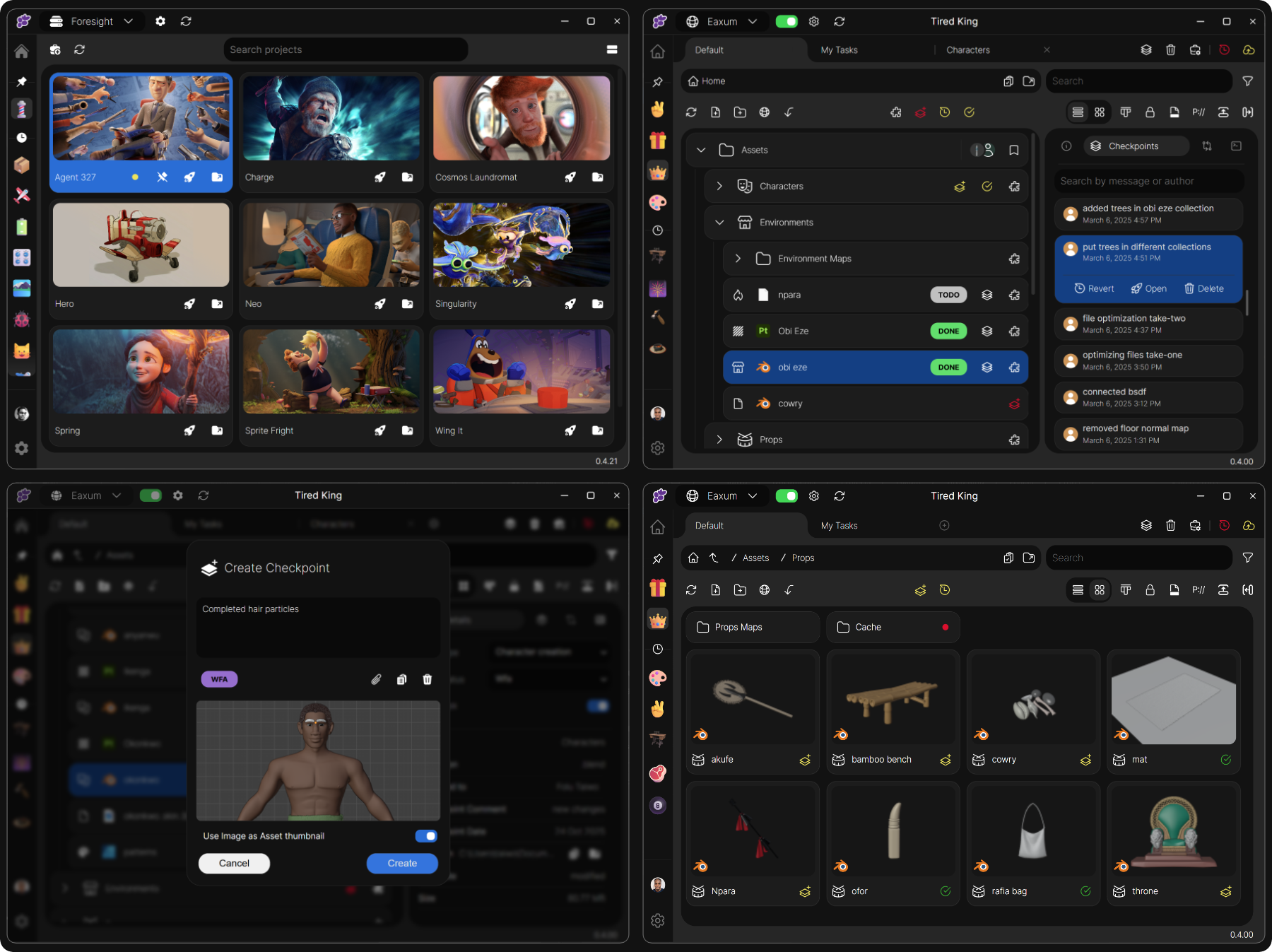
    You should try Clustta. It's a simple asset management and version control app for artists.
    Essentially all of your project files exist in an archived '.CLST' format that you can always read through the UI without 'unzipping' the entire archive.


  • Neox
    Online / Send Message
    Neox grand marshal polycounter
    instead of suggesting it the way you did, it would have been a lot clearer if you told people you developed it, or helped developing it?

    anyhow

    i was trying to look into it briefly how it works but couldnt really find, how is it hosted? where is the data? how is it secured?
  • okidoki
    Offline / Send Message
    okidoki interpolator
    VCS: A version control system has it roots in programming.. when multiple people work on several text files any changes on the same file will be "overwritten" by the last one who changes this. So in a  VCS everyone has an own version which then are tried to merge.. if there are changes in different location of a text file (the program source) then this can be done. If there are overlaps then this has to be solved (by the developers using so called "communication" :wink: ).
    Another advantage is: one can make some own "branch" to test out ideas and then merge this (or parts) into the main trunk.
    For binary files this is a bit more complex and usually there have to be some communication about who and when someone allowed to change what. Sometimes this will make people to wait for the work of others.
    Of course this can all be done by making copies of the original directory.. But as usual someone will sometimes make some error and overwrite or delete something.. (this can also be done in a CVS.. if there are no work procedures ; especially if not "controlled" by some automatism).

    NAS: a network attached storage makes it easy to make files "available" to anyone in the network (but is no VCS) and/or as the the first step for a backup strategy: direct and fast copy of the data from the working computer.. or directly working "on the NAS". If the NAS has *error correction code memory* (ECC memory) then it helps to make the data a bit saver. But it can only correct on bit of error and detect only the next wrong bit as error. For disk error detection using more and more disk own can correct and detect more and more errors.. but also more disks increases the probability of disk errors (and a failed disks will not only tell you to replace this one but also start to replace the other ones because the are at the same age).

    Also:
    If one wants this then the work computer should have ECC already because it make no sense to "secure" data (with a lot of disks) which might be already comprosmissed (so a more simpler NAS with maybe only two disks may be "enough" ).
    The second step might be another NAS or a backup disk.. maybe connected only once a day.. and another once a week. Again: a NAS is not a full backup system/solution and does not make the data more save if the working horse is already "on it's limit" ( for example overclocked ).

    Any further "advice" depends on the use case and the "knowledge level" of the advisor :wink: and being able to spend a lot of money on this will also note avoid failures if "the user" is not informed/trained enough and/or does not "enable" the correct options.

    It's like the decision what car, tools of the trade, kitchen tools or clothes even food to buy.. multiple individual use cases and "the best solution" might simply be not affordable.

  • Surrow
    Offline / Send Message
    Surrow polycounter lvl 6
    This might not be exactly what you're looking for, but in terms of having local backups I like to use Bvckup2 (https://bvckup2.com/). It's perpetual software, data is saved to your chosen destination (I use a separate portable & encrypted SSD to backup all my personal files, but local network servers might work too), supports delta-copying, and lets you keep a separate archive of the older files which get replaced by newer versions in the main backup. You can set up folders to backup either upon change, or keep it to scheduled intervals. I'm not sure how well the versioning would work with Games Engines due to the "revert" being done manually by pulling things out of the archive. You can also tell the program to skip certain file types, or names, etc. Really user-friendly I'd say! 

    Covers all my needs as an artist, and though it would be nice having more thorough control and recovery of the versions, I don't need them as long as I keep good file hygiene and don't need collaborate on the projects. I've looked at version control for my files in the past, and although it's tempting to have it on the cloud, I just can't shake the feeling of what would happen if there was a service outage, which unfortunately seems to become more common as we rely on monopolies for hosting. 

    The only other very useful thing I'd recommend is WizTree, which is free software that lets you look at your files through a hierarchy, and tells you exactly how much space which type of data is occupying, and automatically sorts folders by size/percentage of occupation. Helped me figure out what was taking up space, and also to select all of X file type at once (even if they're in different folders, without opening each folder) to delete them. 
  • sacboi
    Offline / Send Message
    sacboi godlike master sticky
    "While Clustta is listed in some GitHub repositories as an asset manager for creative pipelines, the software itself is not open-source on GitHub"

    ...hmm
Sign In or Register to comment.