Search
-
Re: Strip modeling?
 xsi has the N tool. press n and click about to find out how to create faces. works pretty well.. you can also select an edge and press ctrl D for duplicate, which will bring out the edge, like extrusion. you can also do that on a polygon, that's the extrude function in xsi, just selecting a poly and ctrl+D. works alot…
 -
New Blender Modelling/Retopo Functions
 Lately there's been a huge amount of new modelling/retopo tools added to blender "under the hood," so I thought i'd mention a few of them here. first of all, intersect functions (so helpful for architecture and mechanical modelling i can't even begin to tell you. anything hard surface/precision based): [ame]…
 -
VR Modelling tool

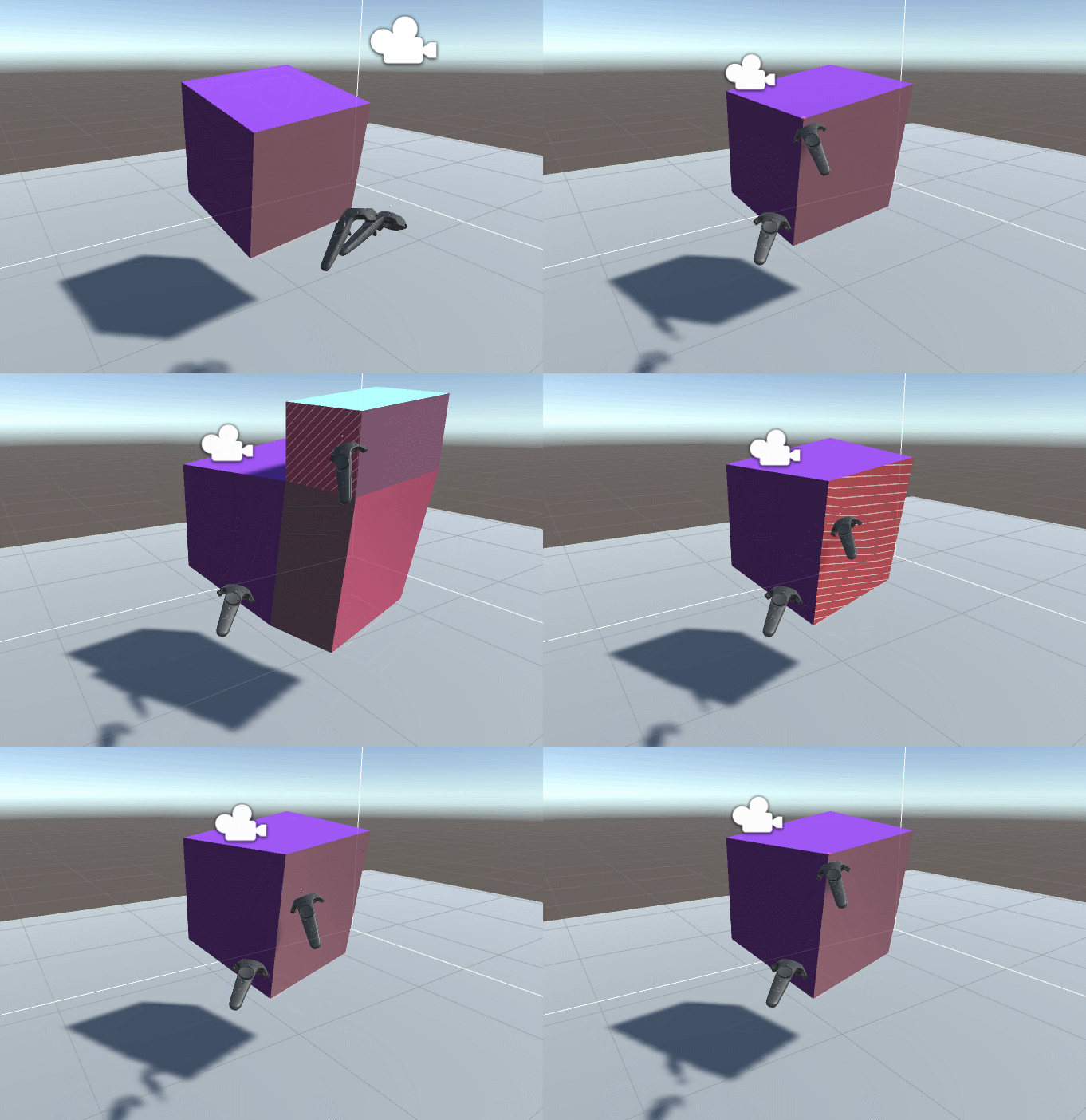 The Story: Since last week (Aug 6th) I've been working on a new tool for modelling in VR. It stems from the frustration that most VR modelling tools are too loose and freeform (Tiltbrush, Quill, Medium...). They all seem to have taken the ease of motion in VR to heart and run with it to the extreme. The result is models…
 -
Correct topology for intrusions/extrusions on mech sub-d?
 Hey, I'm trying to work out how to convert a 8 point octagonal shape into a 4 sided face. (see attached image) It's great for smoothing into a round shape for mechanical detailing but I'm unsure of the topology to reduce the outer edges from 8 to 4 whilst keeping quads or if it's possible. Thanks in advance!
 -
Re: Instagram Love or Hate?
 I don't know, Instagrammed photos to me are like that first time you discover the smudge tool, or the bevel and emboss effect in Photoshop. Remember the first time you learned the extrude tool in a 3d package? Man, I thought I was the shit, makin' robots with a bajillion extrusions. But it's just a phase you sort of…
 -
Re: Modelling wings
 Hehe, thanks for the plug :) . It worked out okay for me, but I should say that it was rather painful to make/paint/set up. To the original poster: I think if you're making a statue then I agree with the others that you should take a look at some real bird statues and see how the feathers are sculpted. This usually means…
 -
Re: Max & Maya -Familiar Help-
01 - The Navigation Key In Maya the easiest way to remember navigation is always hold Alt. If you're holding Alt then you're navigating. So, while holding Alt: left click and drag to tumble, middle click and drag to pan and right click and drag to dolly (or scroll wheel). I'm not sure whether it's possible to change this… -
Re: Help me Model This!

 2 cylinders one 16 sided one 8 sided and a squashed octa geosphere hemisphere (4 segments so it matches up to the 16 sided cylinder) remove top faces from hemisphere ahead of the selected edges. Extrude edges to second cylinders and sub divide the extrusion. Add the detail to the 8 sided cylinder and shape it. Attach the…
 -
Re: Getting back into modeling
 As promissed, Here are the pictures of the first draft of the plasma gun Here's the first block in I did. I decided to leave the plasma flask at the bottom of the model until I get to a higher polycount with my model I had to go back and make sure I didn't make the beginner mistake of extruding over a previous extrusion:…
 -
How to edit the move gizmo in Maya?
 I need help to get rid of the extrude function on the move gizmo in Maya. Every time I move an object, I accidentally click on “extrude” and end of extruding faces when I don’t mean too! It’s been driving me crazy.. wondering if there is a way to get rid of this on the move gizmo?
>3548 results