Search
-
Re: Zbrush - hide subtool under mouse cursor
 Yeah it took me awhile to figure out how to script in Zbrush... I did it only for this idea and forgot most of it by now... Would have to open Zbrush to remind myself how did it all work. You need to google basics of zscripting. If you want I can send you the *.zsc file which you need to put in the ZStartup/Zplugs. You…
 -
Re: Zbrush - hide subtool under mouse cursor
I actually got it working. It's definately not perfect. There is a bug which is based on Alt + LMB subtool changing. I hacked a solution by changing a subtool to a one above on the list and then back to the one that is selected = it does nothing. It only fixes the Alt + LMB issue. Also because of this hack when you use it… -
Zbrush - hide subtool under mouse cursor
Since I spend most of my time in Zbrush I started eliminating parts of the workflow that annoys me. I really don't like hiding specific subtools since it requires looking into subtools palette. I tried to find a Zscript that could hid subtool under mouse cursor. I found this thread:… -
Re: Zbrush - hide subtool under mouse cursor
 How are you running the script? Scripts loaded thru Zscript>Load have the issue with the hotkeys you described. I use this as a macro and it works fine with hotkeys. Place the file in Zstartup>Macros and it will be in your Macros menu when you re-launch Zbrush. Hiding more than one subtool I think is an issue with the…
 -
Re: Zbrush - hide subtool under mouse cursor
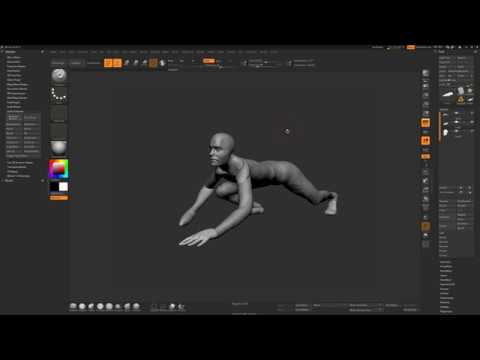 I know it's an old thread but I've made a video and that might be useful to actually get what this thread is about and how to use this script: https://youtu.be/pVVLO7PG7aQ
 -
Re: Zbrush - hide subtool under mouse cursor
to clarify the Dummy could be user created and named as such, rather than created within the script itself to be appended each time it is run. If this worked, I'd be more than willing to append a sphere to the list called dummy to get this thing to work. -
Re: Zbrush - hide subtool under mouse cursor
Hey guys I've updated this scsript for Zbrush 2018. It's way simpler now... and works pretty well. It needs to be put into `Zbrush 2018\ZStartup\Macros\Misc\macro_name.txt`. Then you can bind a hotkey to it and it will hide a subtool under the cursor every time you press the hotkey (I've pasted the code and attached it as…
7 results