Search
-
Re: Absolute UV rotation? (max)
 I'm not sure I completely understand you, but could you not use the freeform mode and move the pivot to the point you need and rotate that way? Or you could use TexTools, the swap UVW XYZ would let you manipulate them easier.
 -
Re: is there a script to Lock Vertices Position in 3ds max ?
 I have periodically looked for something like this because it would be really helpful. If its only a couple verts I just copy the xyz pos and afterwards paste those back in. I haven't found anything quick and easy. I have never seen that workaround Eric thanks for showing that. As a sidebar the retopo plguin WrapIt also…
 -
Re: [WIP] M249 FN MINIMI Para
 AO is drawing shading where objects meet one another. That's all, it's just a grayscale map that computes shading. Normal maps are RGB maps that are referring to XYZ coordinates of higher detail modeling; derived from Zbrush, for example. We use normal maps to add edge and surface detail to objects without actually needing…
 -
Re: Color Picker UD+ (Advanced Color Picker)
Version 1.0.7 Is Up With; - Full Linux Support with any X11 distro by including and linking all required libraries as static. - Full Windows Support between XP to 10 by including and linking all required libraries as static. - AXYZ and XYZA Hex Codes. - SVG UI Images and Icons. - Default Modified Black Theme. - Updated… -
Re: Has anyone moved from a commercial modeling app to Blender?
 There are indeed many ways to remap/modify this kind of default behavior, but it does require a little bit of advanced know-how with the input editor. This is probably best kept for a little later, ie for a time when you are even more familiar with the program. That being said : the XYZ manipulator can be (and in my…
 -
Re: Shiro From Voltron

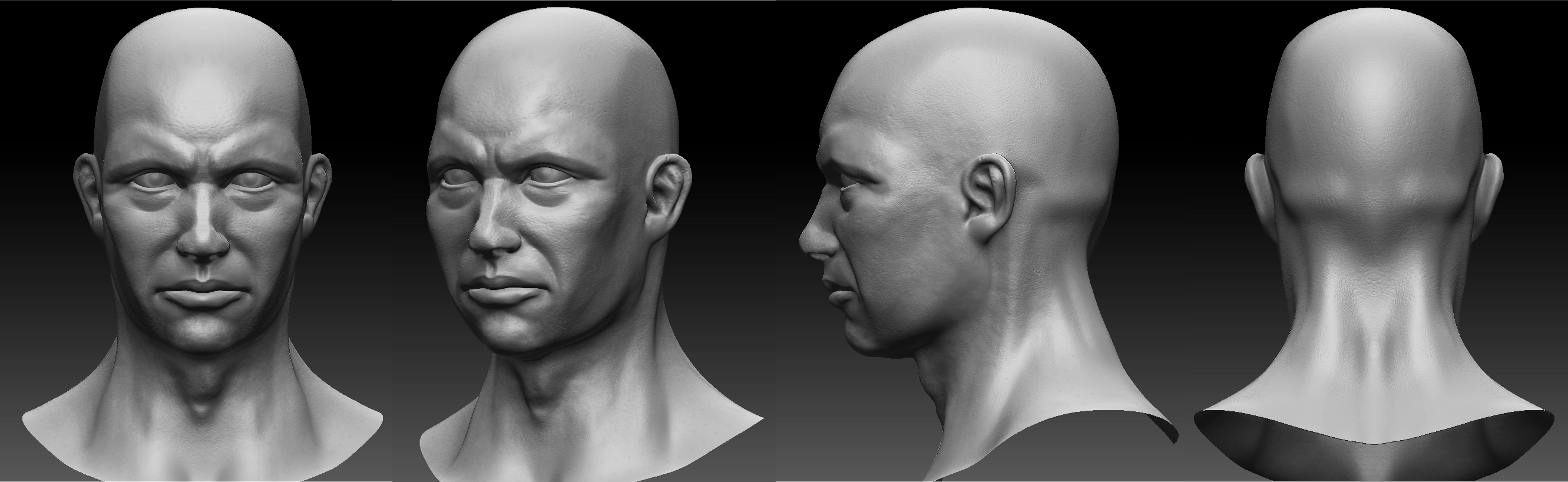 Reworked some of the face a bit and added some tertiary details, will move on to mari next to get some texture XYZ displacements.
 -
Re: Using other's custom Photoshop brushes in texturing
 I don't think there's a need to go announcing around that you use XYZ brushes from ABC persons. Unless you want to. But if someone asks, you'd better tell; or at least say they are not yours.
 -
Re: Using normal lengths <1 for AO type effect?
 Yep, but the maths I'm suggesting works and is much easier (you can do it in PS without scripts in sbout five seconds). If you start off with the normal vector xyz (.71, 0, .71) and you wanted to shorten it to 50% length, you'd divide the length by 2. You could also get the same result by 'blending' it 50% towards zero -…
 -
Re: 3DS MAX- Freeze Roation/Transform

 The utility hits those two buttons for you and it applies a modifier and screws with the pivot, two things I don't like. If it works for you, great. I just think it's over kill and causes a few unnecessary steps, like having to collapse the stack or realign the pivot. Slightly longer answer: Each object has a transform…
 -
Re: AtomFishing II Ressurection [Unity3d]
 new video the basics of comic style with ToonIT!: [ame=" https://www.youtube.com/watch?v=xyl3rnqHdHw"]http://www.youtube.com/watch?v=xyl3rnqHdHw[/ame] [ame="https://www.youtube.com/watch?v=YumAQg8M7rc"]http://www.youtube.com/watch?v=YumAQg8M7rc[/ame] [ame="…
>1033 results