Search
-
Re: Shed your light! Corona Rendering and 3Ds Max Projects

 Hey, so this is where HDR tonemapping and a good understanding of photographic exposure comes into play. The reason that the original image looks that way is not due to it actually being too bright or washed out, it's due to how cameras capture and interpret the light that hits them compared to how the human eye does. Take…
 -
Re: [Portfolio] Jimmy pereira
 I agree with the earlier comment about moving the props for particular environments to the pages for the environments, and using the props page for independent objects. The text on the props listing the polygon count and texture sizes is a bit hard to read even in the slideshow mode - is there any way you can use larger…
 -
Mari Shaders don't look right

 hey guys, does anybody know what's up with the BRDF and Unreal shaders in Mari? they have these really black edge highlights that don't look remotely correct. I'd like to use the software to author PBR textures but I'm not sure if I can rely on the shaders that ship with it i've attached a screenshot of the weird lighting
 -
Re: Modular Design Lighting Issues in Unreal
 The stuff on the left is happening because you're getting light bleed from your lightmap UVs, or if you don't have a separate lightmap UV channel then your main UVs don't have enough padding. Not sure about the problems on the right, but it might be the same thing. Check out this tutorial by Stephen Jameson about how to…
 -
Re: Watch Dogs: Holy shit.
 1) A game played on your TV in a day-lit living room will need to be brighter than a game played on a PC in a dark room. It looks like they decided to balance the game more toward one than the other, probably because of the popularity of console gaming? I know I can turn down gamma/brightness to make the game darker and…
 -
Re: Backpack- Project
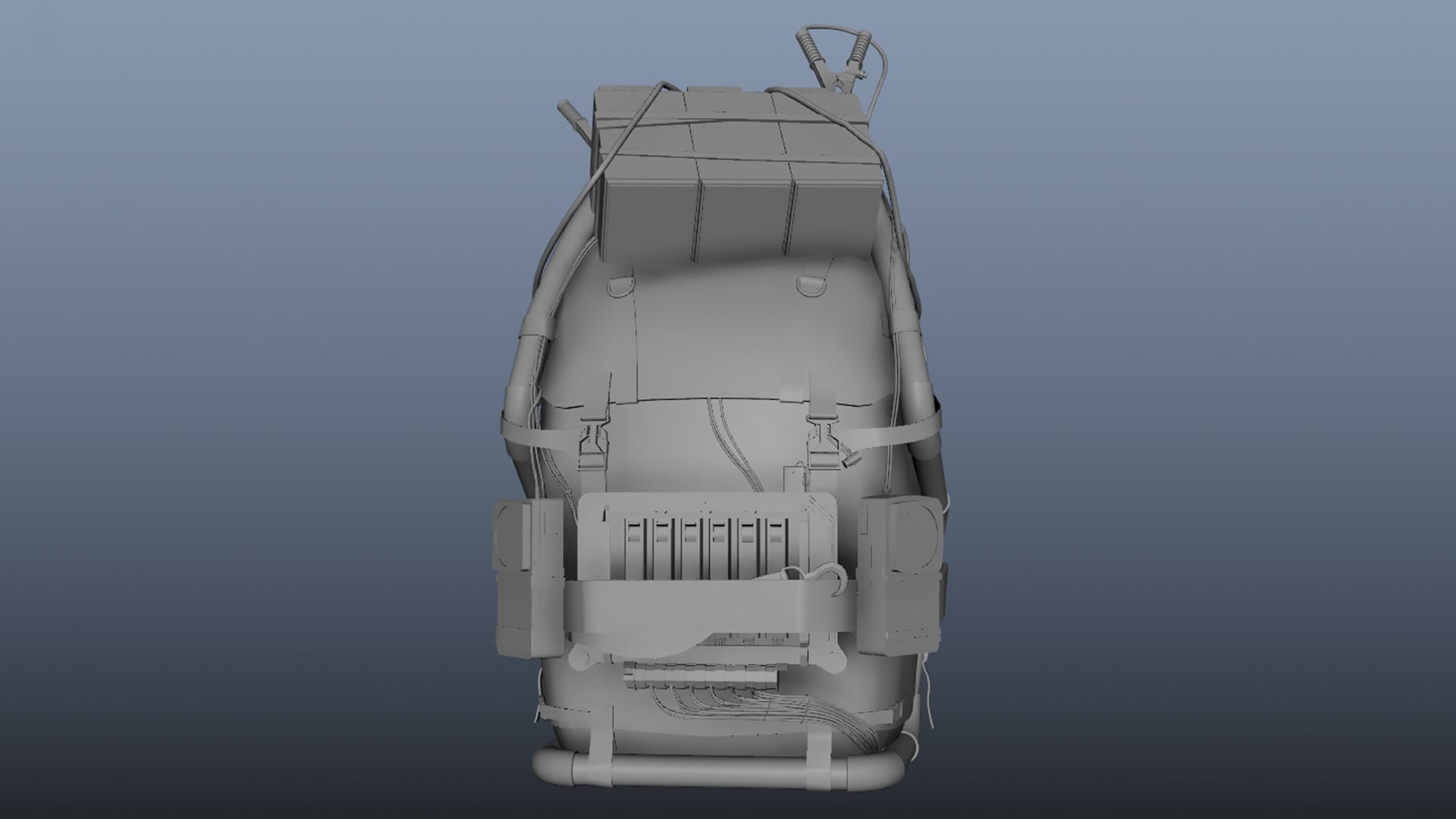 Hi everyone!! This week I’ve been working on a solid blockout of the backpack to get the hard-surface parts right and establish a good foundation for the more organic parts. That way, I can transfer them to ZBrush confident that the proportions are correct. There’s still work to be done in ZBrush, but here’s a sneak peek…
 -
Re: [WIP] Forest Path Lighting Study

 Did some more work on this today, added in a second directional light as I only had one previously which was linked to the BP_Sky_Sphere and was mimicing the sun at night so wasn't getting any light from it. The second one I've used to give the scene some moon light, also been playing a lot with the volumetric fog trying…
 -
Re: Hand Painted Environment - Blacksmith House
 I agree, the harsh lighting (the shadows, actually) kills it and makes it look really really cg and bland. It's hard to really dig into the texturing work with that lighting. Edit: Played with levels and curves, check it out: Now that's probably too blown out (ie, not enough contrast), but I would try to coax some more…
 -
Re: Fable 3 Bowerstone Industrial Environment
 Which engine are you putting your scene together in? If it's UE4 I'd recommend doing a lightmass bake with some bounce lighting so the lighting doesn't jump to pitch black, or a subtle skylight if you're doing the lighting dynamically. Right now its kind of strange looking how some of the props appear to be pitch black in…
 -
Re: Itlatoani in ikalpol in tlauilli Leader of the Tribe of the Light
 Insane level of detail, nice job! What are you rendering in? It looks like you're using only point or directional lights, as the unlit parts are pure black, like under his right eyebrow. I wonder if adding an IBL would help this. Looks a lot like Wes Studi, was he an inspiration for the face?
>89230 results