Search
-
Re: Fun Scenario - Concept in 10 mins

-
Fun general topology/UV question!
 Imagine I'm doing a sand corner. I have a texture with a top and bottom trim. How can I better construct the mesh so that it gets the most undistorted UVs?
 -
Banished Fan Art WIP
 Hi all, I recently picked up Banished when it was released a few weeks ago and was impressed with the game play. I really enjoy city-builders/simulators and found this one to be challenging and relaxing to play. Anyway, I got inspired to do some fan art for it in my free time and as a way to challenge myself and learn more…
 -
Hexagon. Looks like fun.
 http://www.eovia.com/products/hexagon/hexagon2.asp Looks like its stealing from every app out there, but i really don't care about that to be honest. It does look like they may give zbrush a run for there money....now if only xsi would implement all of this good stuff:)
 -
Re: cars- advertising war, old but fun
 Fun and exciting...I wonder what Porsche would say...
 -
Re: WIP - Deep dark wood - (Block out Phase)
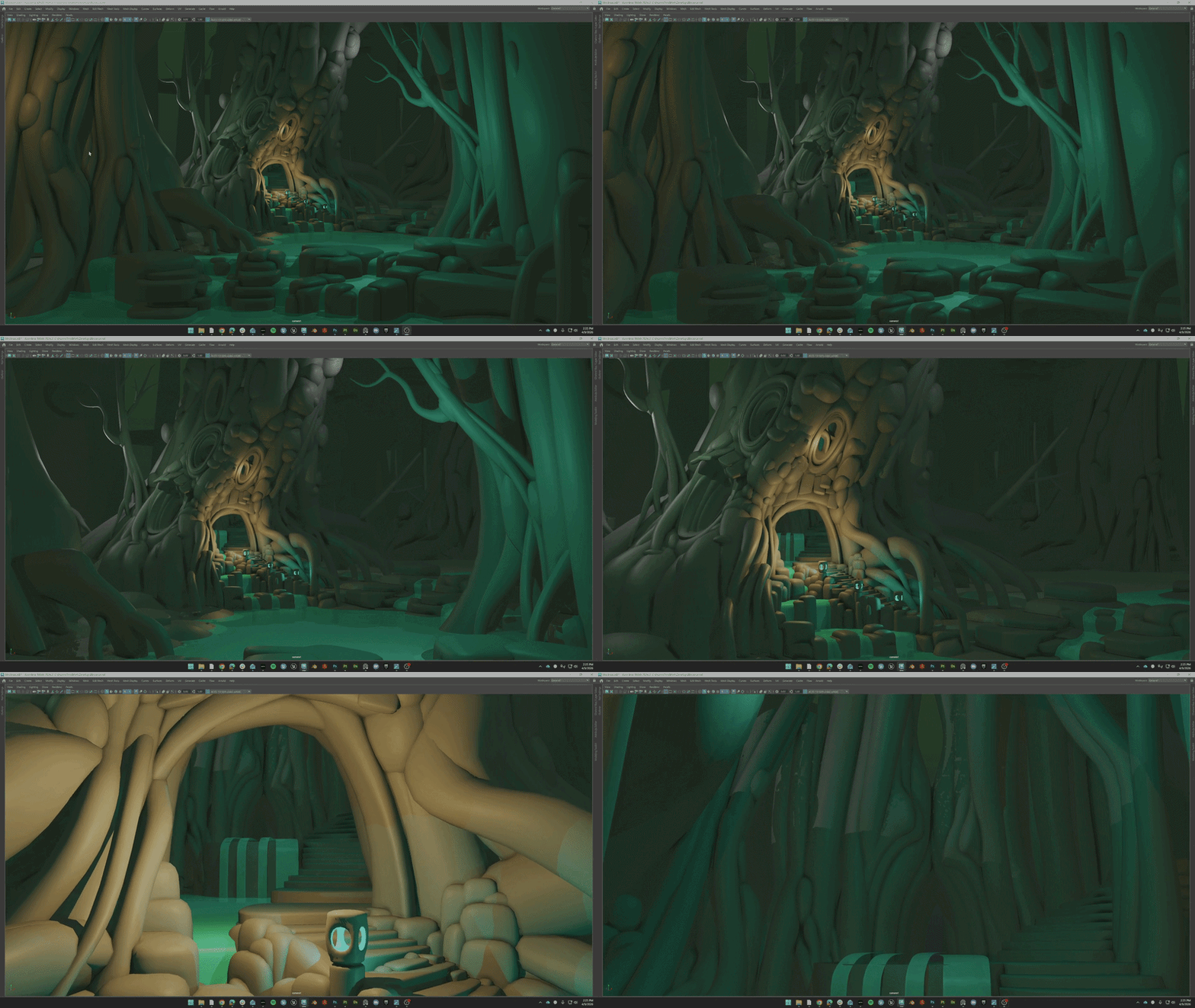 Been a while sense I've worked on a personal project of this scale. So im trying to just have fun with it. Ended up going back and adding more ideas to the blockout and am feeling happy with its evolution. I am adding an interior section of the tree that can work as a great hall or possibly a witches den. Not sure yet...…
 -
Re: Holiday Travel Fun/Rant
 I'm not one to make fun of someone's misfortunes.. hope the rest of your holiday is SUPERFRAGILISTIC!
 -
Particle fun in Max
 I'm trying to blow up a pumpkin in Max. I'm using a PArray to break up the mesh into fragments, but I want to get the pieces to fly towards the camera and basically go splat as it hits the camera. Right now I'm using deflectors and gravity to control where the pieces go. Is there a better way of doing it? I know in Real…
 -
A bit of fun for me
 just trying out sketch painting again ... wacom pad quick sketch, about 30 mins, no reference , not the best proportions in the world a quick colour using that warm cool guide that is posted in the more realistic head thread. then smoothed with the smudgy thingy then hue sat changes and contrast etc , i was amazed at how…
 -
Fun times with Blender
 Been getting up to speed with Blender having been a long time Maya user, now my brain is frying over a seemingly simple problem. These two trees have the same material, and are both flat shaded, they're also on the same layer. Why the heck do the seem to have different colour tones/lighting on the trunk?
>43882 results