Search
-
Re: Maya--->Max questions
 I found the best relax settings in Maya result in it taking AGES to actually relax correctly ... it was something like 10,000 iterations or something... produced a very nice and distortion-free shape, but took about a minute to do it. Maybe I was doing something wrong
 -
Re: portfolio critique needed!

 Sure I was referring to the UVs of the latest character: Some borders seem almost aligned with the pixel raster, but not quite, many others seems more relaxed (didn't mark all islands in question, but hopefully it's clear. I find tube-like/ cylindrical shapes and strips are very fitting for this). Perhaps it comes across…
 -
Re: help tutorial on simple rock?
 erm I don't know if this will completely fix the problem but looking at your unwrap, theres a bit of stretching may I suggest pelt unwrap and relax for it? left= your unwrap right=pelt and relax. It obviously then needs a few further tweaks but it's much neater off the bat
 -
Re: [WIP][not for contest] M4a4 Resistance , Awp Resistance , Ak phoenix
 yes ofc :relaxed: no worries i know exactly how not to infringe copyrights i send all my projects to my manager so he can analise with a proper entity if it breaks any copyright in exitence :relaxed: it gonna resemble a xenomorph structure but completly original ;)
 -
Re: Switching from Max to Maya =[
 Unfold in Maya is very similar to relax in max, you need to adjust the slider between face and edge to get the best results. Pinning or unselecting some uvs will improve your results too. I always felt like I got better results with unfold than relax.
 -
Re: Problem texturing a track for racing games
 I tried that and it just add more distortions. It's a problem on the UV, so I must relax the clusters instead keeping them rectangular. But if I do that, I'll need to make a texture for every segment of the track, because after being relaxed, the clusters won't fit with the current texture.
 -
Re: Need help with UV Unwrapping problem
 Did you relax the UVs yet? I'm at work so I don't have the time currently to fast forward through his tutorial (which looks great, BTW - good find! :) ) to reach the step you're on, but it looks like your UVs need to be relaxed. Give it a shot and see if that helps.
 -
Re: Modo: unifying uv shells scale
 Pack will scale them relative to each other but, yeah, if you don't have a decent relax done on the shells you won't get correct results. I don't know of another answer other than ... relax them flat and work the islands until they are as good as you can get them. Then pack.
 -
Re: How to align UV polygons sizes?

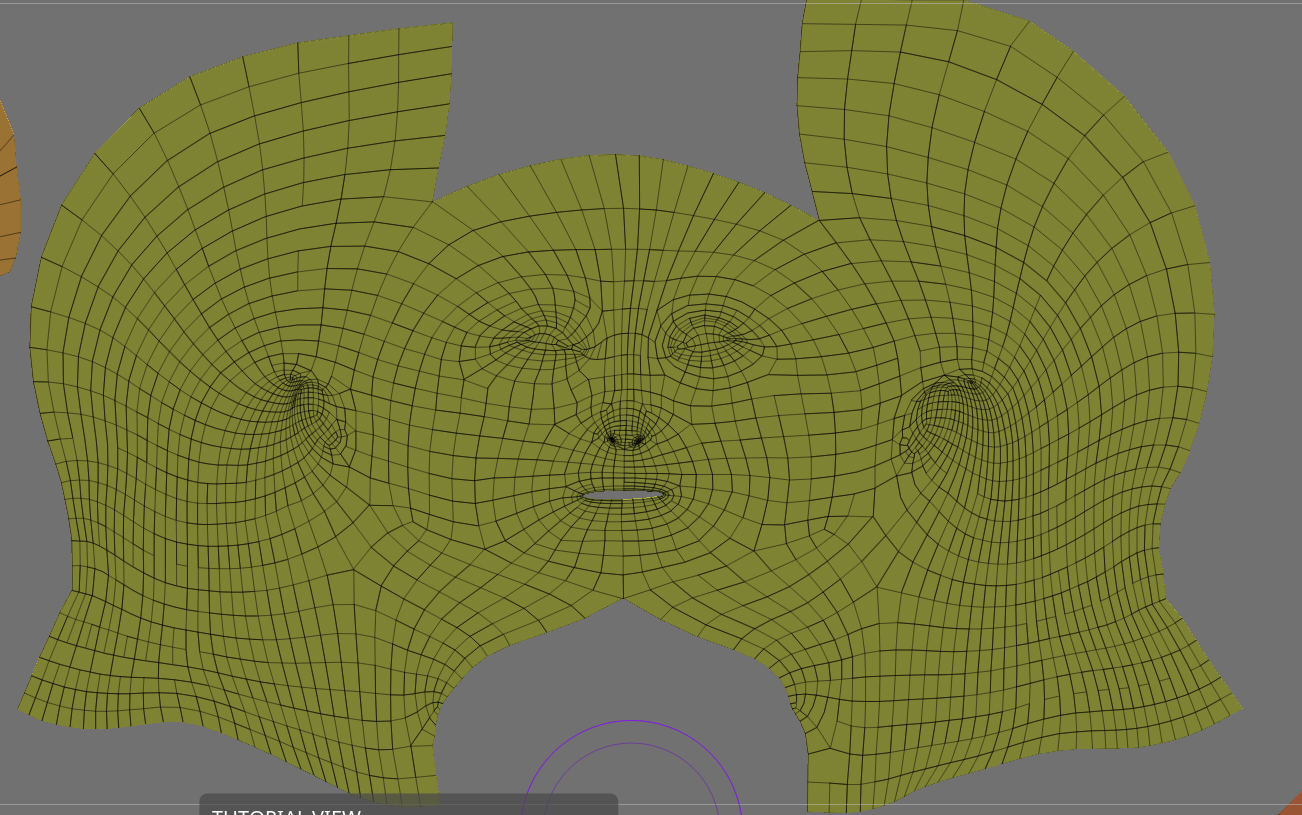 Cut that area out and relax it. Just be careful you don't have too much disparity between the texel density of the cut-out lips and the rest of the face. Alternatively, if you don't want any seams on the face, you could try unwrapping it something like this to give the face a bit more room to relax with.
 -
Re: UVW mapping a chain

 Hey thanks for the tip! By the way, can the uvw stacking work with mirrored elements as well? By the way, the texture gets stretched badly when it is straightened out like this, and relaxing the uvw makes the center tangle up. Should I add more vertical cuts before I use the relax tool? Pic:
>13899 results