Best Of
Re: How The F*#% Do I Model This? - Reply for help with specific shapes - (Post attempt before asking)
@solitudevibes There's a couple of different ways to approach modeling a lighter hood. A direct approach would be to block out the major forms with a simple quad grid then subdivide to create the necessary support geometry for the holes.
@wirrexx explains this modeling process, with a great visual example, in another thread. Though the shape of that hood is slightly different, the same basic principles can still be applied here.
It's also possible to model the shape using floaters or boolean operations. Which approach makes the most sense really depends on the technical requirements for the final model. There's a few recent examples of how to add details to curved surfaces using these modeling strategies. So, it's probably worth taking a look at some of the previous pages in this thread and finding some write-ups that show how to add circular cut outs to curved shapes.
For the hand guard: When modeling objects with complex shape intersections, it can be helpful to start the block out by analyzing the references and color coding the major forms and important shape transitions. Finding and studying reference material, like drawings, images, videos, etc., is an important part of the modeling process. Gather enough reference material to develop a working understanding of the relationship between the shapes that make up the key features and the shape transitions between the major surface planes.
Keep the initial block out relatively simple. Focus on creating the larger forms first then start adding smaller details. Maintain co-planar geometry for all of the individual surface planes that were identified previously. Continue working through all of the forms in the references. Try to resolve most of the major topology flow issues by matching the segments of intersecting shapes. Additional edge loops and final support loops can be added once the block out is complete.
Below is an example of what this process could look like when using booleans to create the primary features and bevel / chamfer operations to generate the curved shape transitions. The top cover and a few shapes on the inside have been omitted for simplicity.

Analyzing the reference images, identifying the shapes that make up key surface features then constructing the surface planes and generating consistent transitions between the shapes is a large part of hard surface modeling. As long as the geometry that defines the shapes remains relatively uniform the shapes themselves should define most of the loop flow. Which is why time spent gathering references and working through multiple iterations of the block out phase is usually paid back later in the modeling process.

While some shapes are relatively obvious, it can be helpful to get a second set of eyes on the references, shape analysis and block outs. Posting shaded and wireframe images of previous modeling attempts makes it easier to provide focused feedback. Which is an important part of working through difficult shapes that aren't turning out as expected. Though often much slower, it's also helpful to look back at previous attempts and break down the process to find what worked and what didn't. This sort of self reflection isn't always fun or easy to do but it's a significant part of growing as an artist.
@hututuzhang @bittermelon Welcome to Polycount. Consider checking out the forum information and introduction thread.
@hututuzhang There's a write-up on the previous page that covers a similar shape. This thread has a lot of great examples of different approaches to modeling. While some of the examples won't match any given question exactly, most of the basic modeling principles are the same and the order of operations can usually be modified to fit a specific 3D DCC. So, it's generally worth the time to take a look back and try to find a discussion about similar shapes or topology problems.
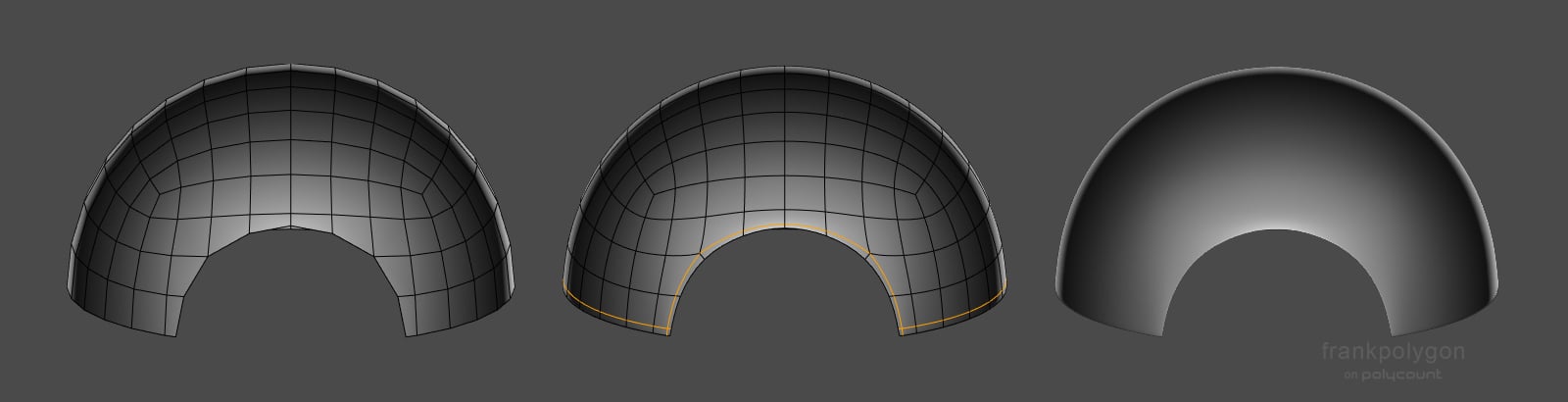
@bittermelon A few recent discussions in this thread have touched on cutting shapes into spheres and hemispheres but one of the simpler answers is to use a pair of perpendicular support loops that run around the perimeter of the shape and cross near the corners. Moving these support loops closer to the edge of the cut out will tend to sharpen it. Below is a basic example of what this could look like. Other, application specific, approaches like creases could also be an option but may not work well for certain types of modeling workflows.
 FrankPolygon
Sketchfab Spotlight | November 2022

A collection of the latest and greatest pieces from Sketchfab users
 Sean VanGorder
Re: How The F*#% Do I Model This? - Reply for help with specific shapes - (Post attempt before asking)
@Deqa Automotive modeling is it's own specialist discipline but most of the basic principles of subdivision modeling are still relevant. @sacboi has provided some helpful guidance and links to some great write-ups about car modeling in a recent discussion.
It's often helpful to block out the larger shapes first then confirm that the mesh subdivides cleanly before adding secondary details, like cutouts for the doors and windows. Below is an example of what the modeling process could look like.
Break down the shape of the cab into individual planes then round over the transitions. Keep the geometry relatively consistent yet simple. Edge loops can be cut in and dissolved as required but flat surfaces should be kept co-planar and curved surfaces should have uniform segment spacing whenever possible.

Since these types of trucks tend to have a lot of flat surfaces, the same sort of block out process can be used to create a variety of different cab shapes. The important thing is to focus on creating accurate surfaces that are co-planar and consistent transitions that are fairly smooth. Keeping things relatively simple during the block out will also make it easier to solve shape and topology flow problems.
 FrankPolygon
Re: The Bi-Monthly Environment Art Challenge | November - December (81)
Hi guys, I had dropped 3d more than 5 years ago, maybe almost a decade, so I wanted something easy to test if I still remembered how to model or to re-learn it in the process, so I've attempted the chair here :) (using 3ds max)
it's only the "mid poly" model with a bunch of OpenSubdiv applied so not game ready, but that wasn't meantioned in the rules so hope it's ok
I think I've made the seat too long x°D

 マルコ
マルコ
Re: WIP - Maz 537
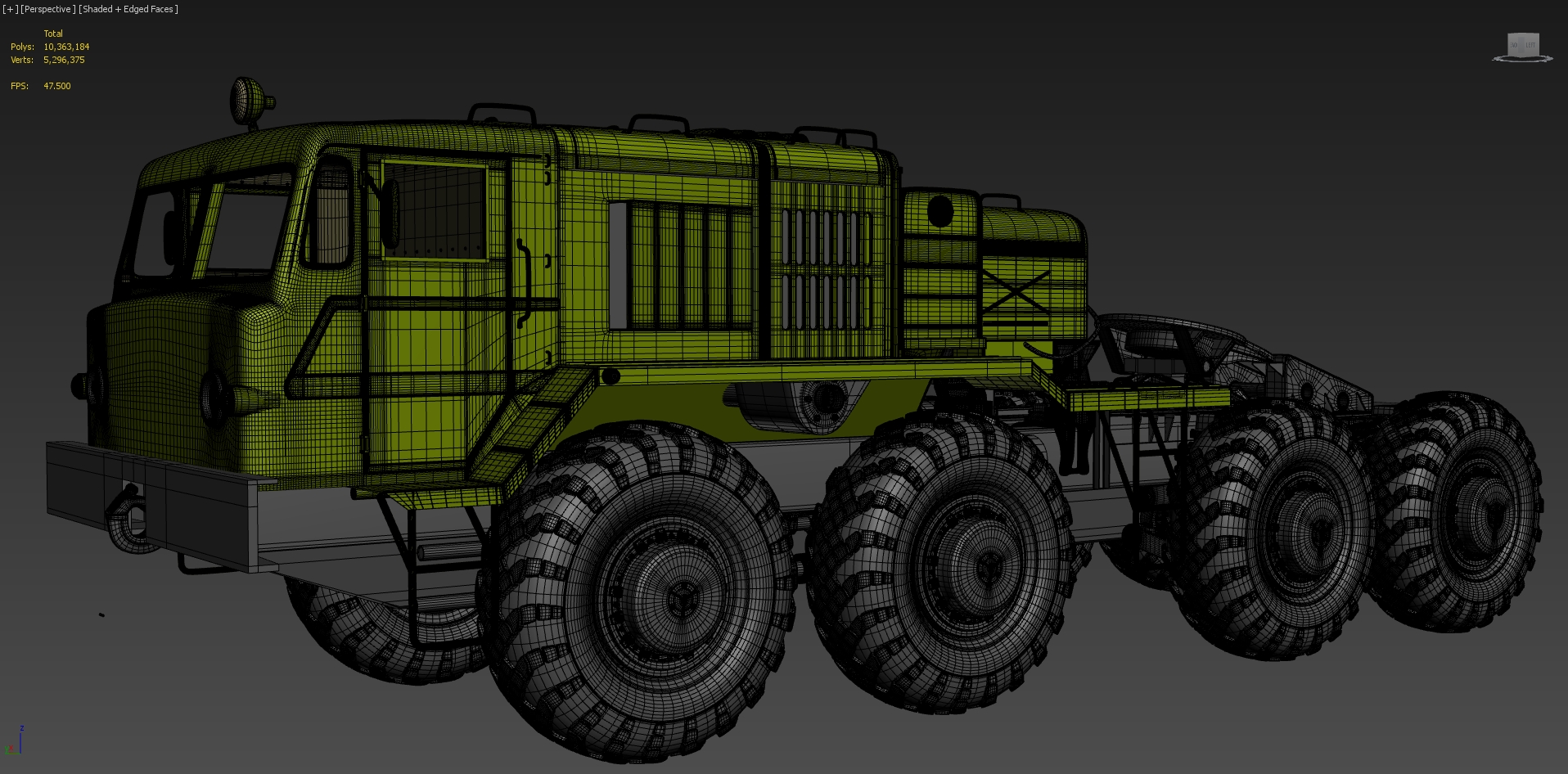
@Grubber Thank you man!The wireframes are a bit of a mess since it's still on high poly phase,but here they are 😁 :


 andreygheorghe
Re: Community Incentive: Earn $STYLE Token while testing the Protocols’ Alpha Version ⚡️
woohoo, cant wait to contribute to pyramid schemes that pray on unregulated spaces to sap hard earned money from gullible people ! i love how all these tokens\whatever always have _protocol or something when the ones banking are the founders\family on their "fair launches". Regulation cant come soon enough.
 Joao Sapiro
Re: [WIP] Transport Miniverse
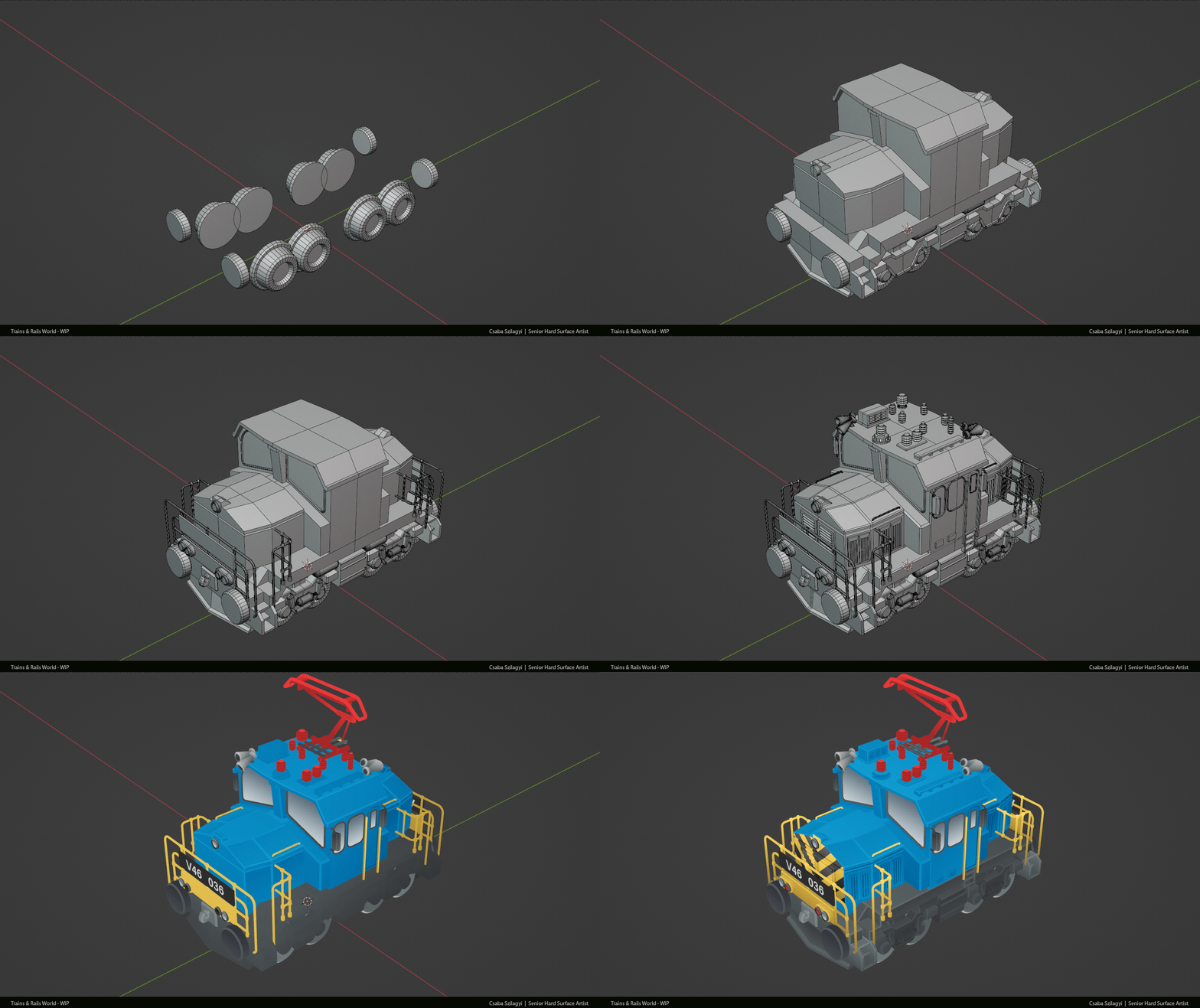
Finished a new locomotive and did some tweaks on the oil tank car.

Made a progress GIF again:
 CsabaSzilagyiArt
WIP - Maz 537
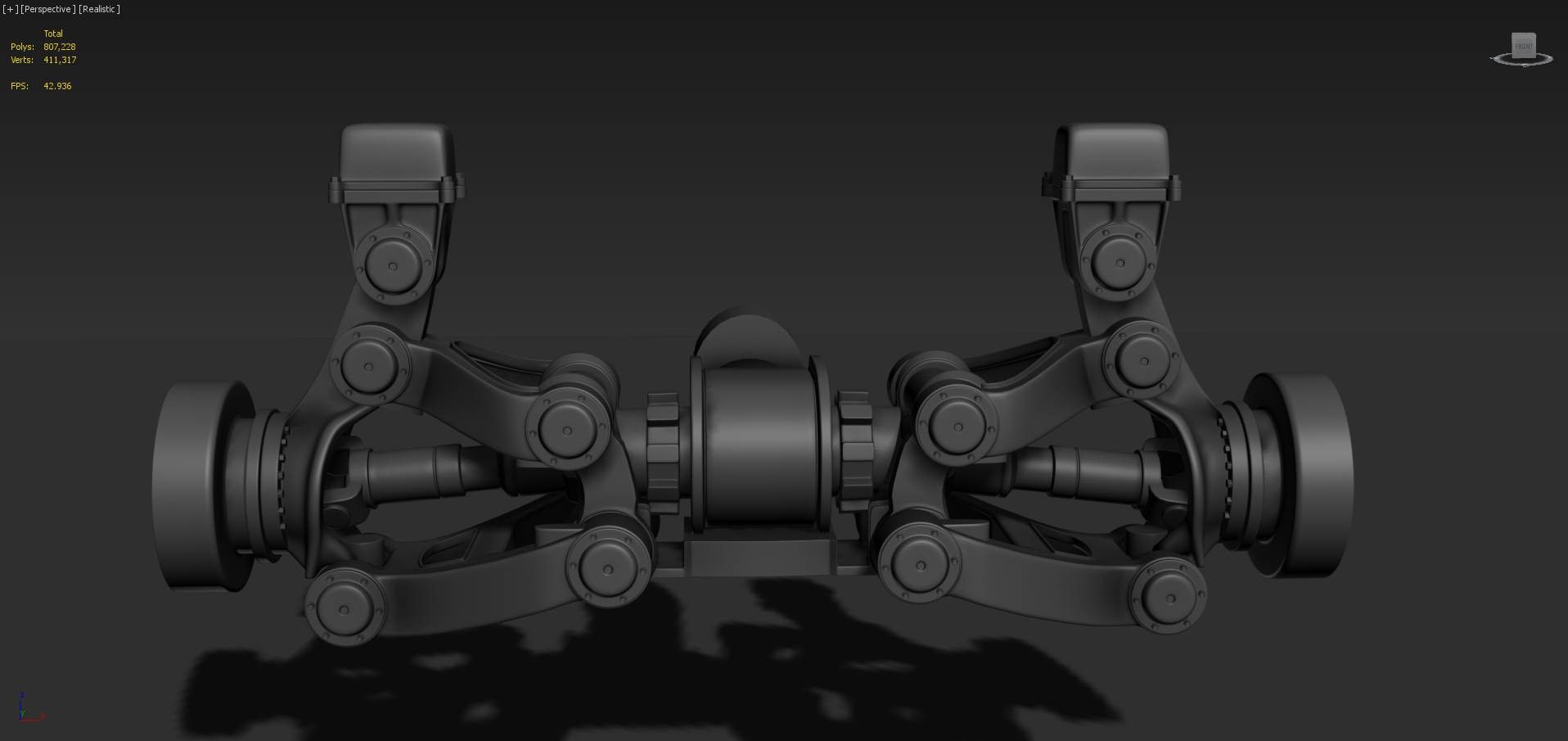
Hi!I put a pause on working on my game because I want to work on my portofolio,so I want to create a Maz 537.I chose this truck model because it has a lot of details and I like the look of military trucks.Also,Snowrunner had a major influence,I like the details of their models 😁 .So I first wanted to make sure I have the general proportions and where everything goes,so I've started with the chasis and suspension.Here are some images of the suspension so far.

 andreygheorghe
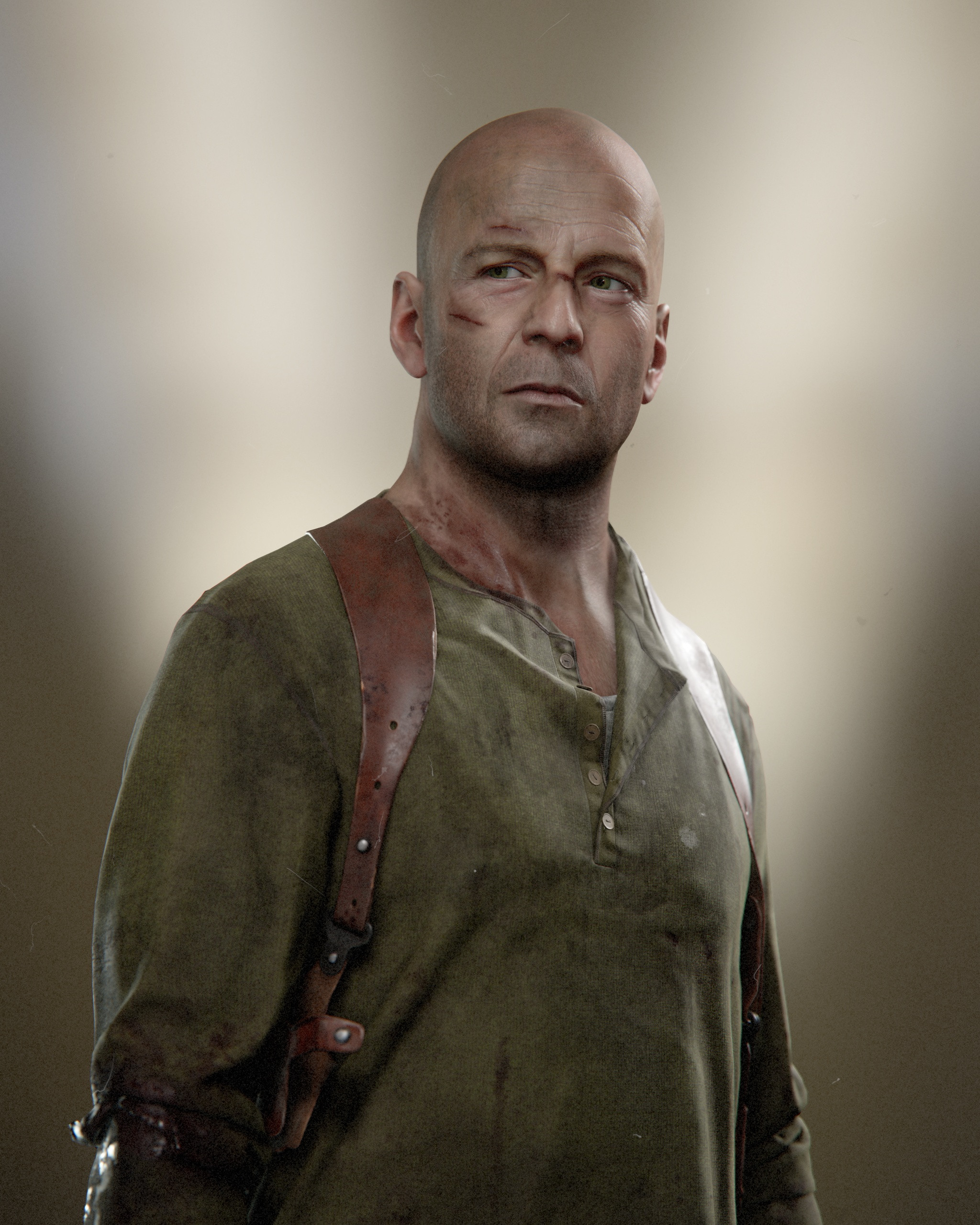
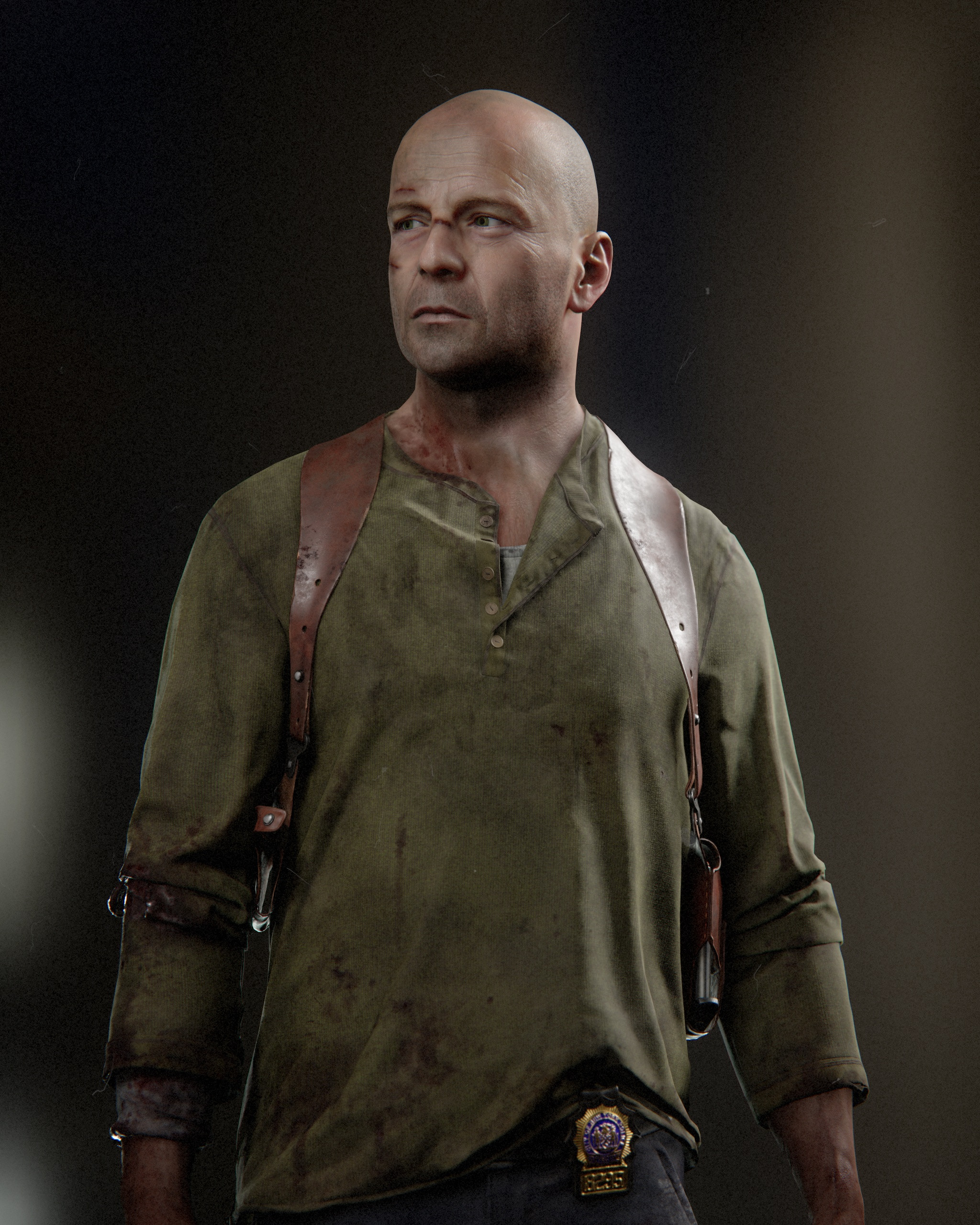
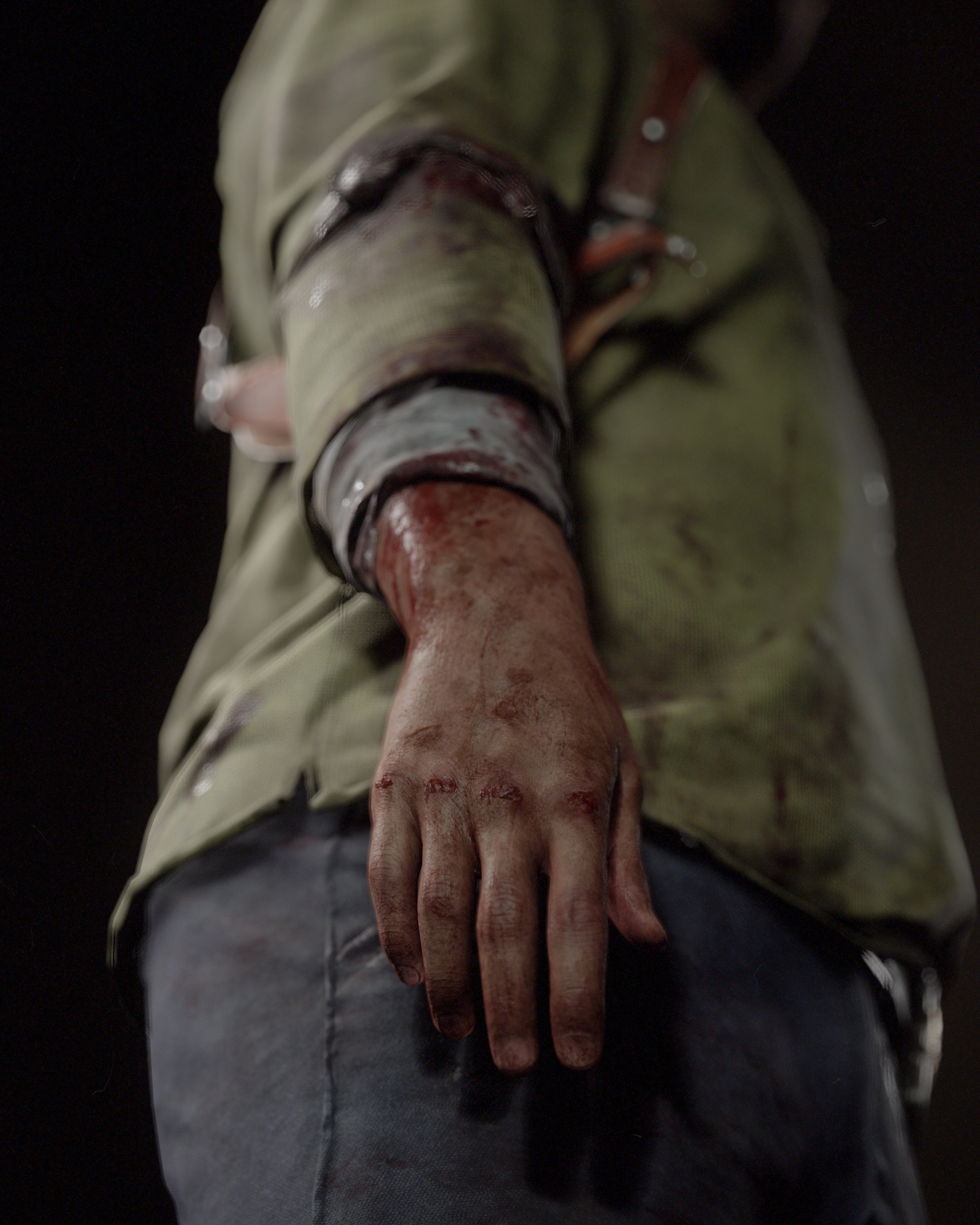
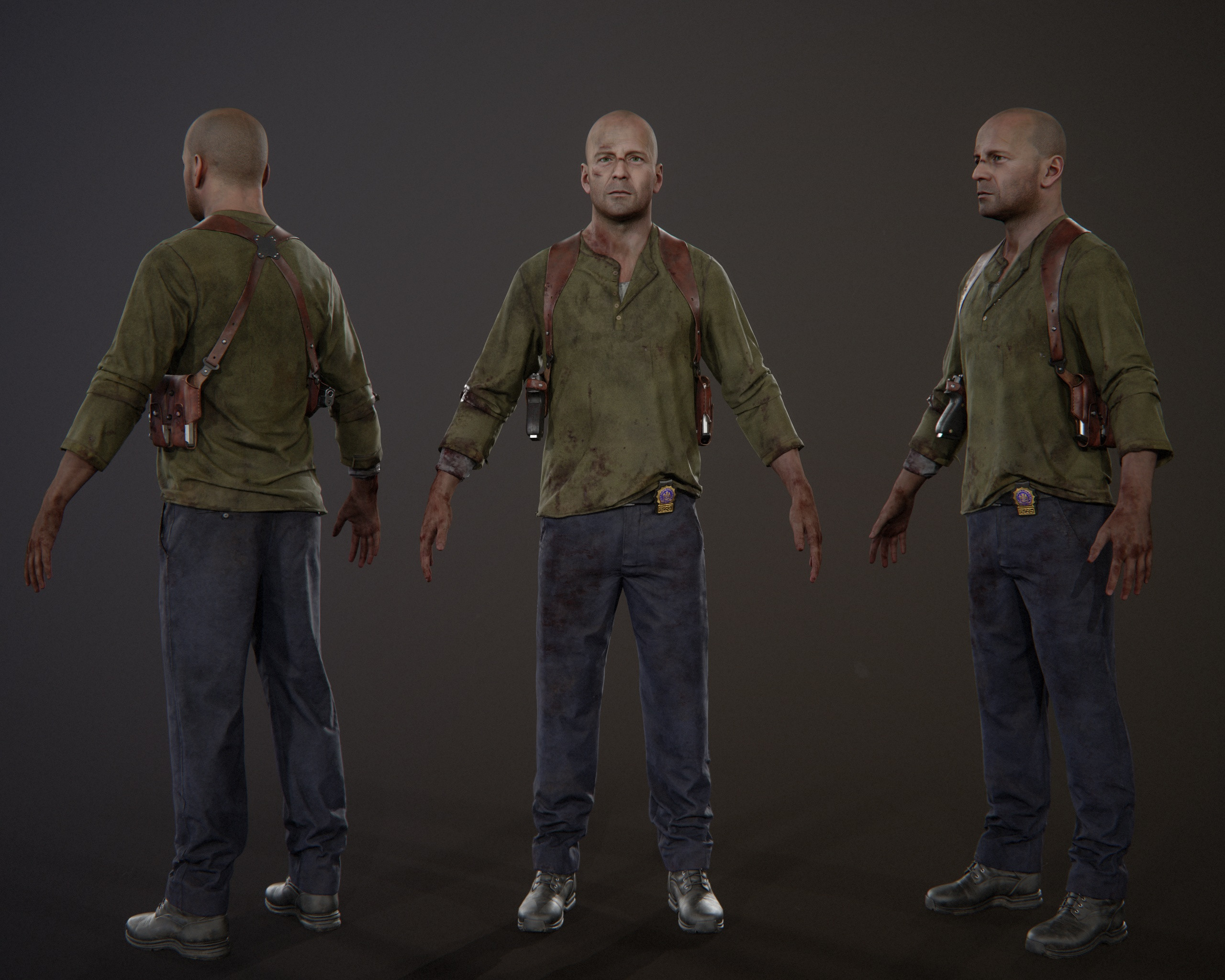
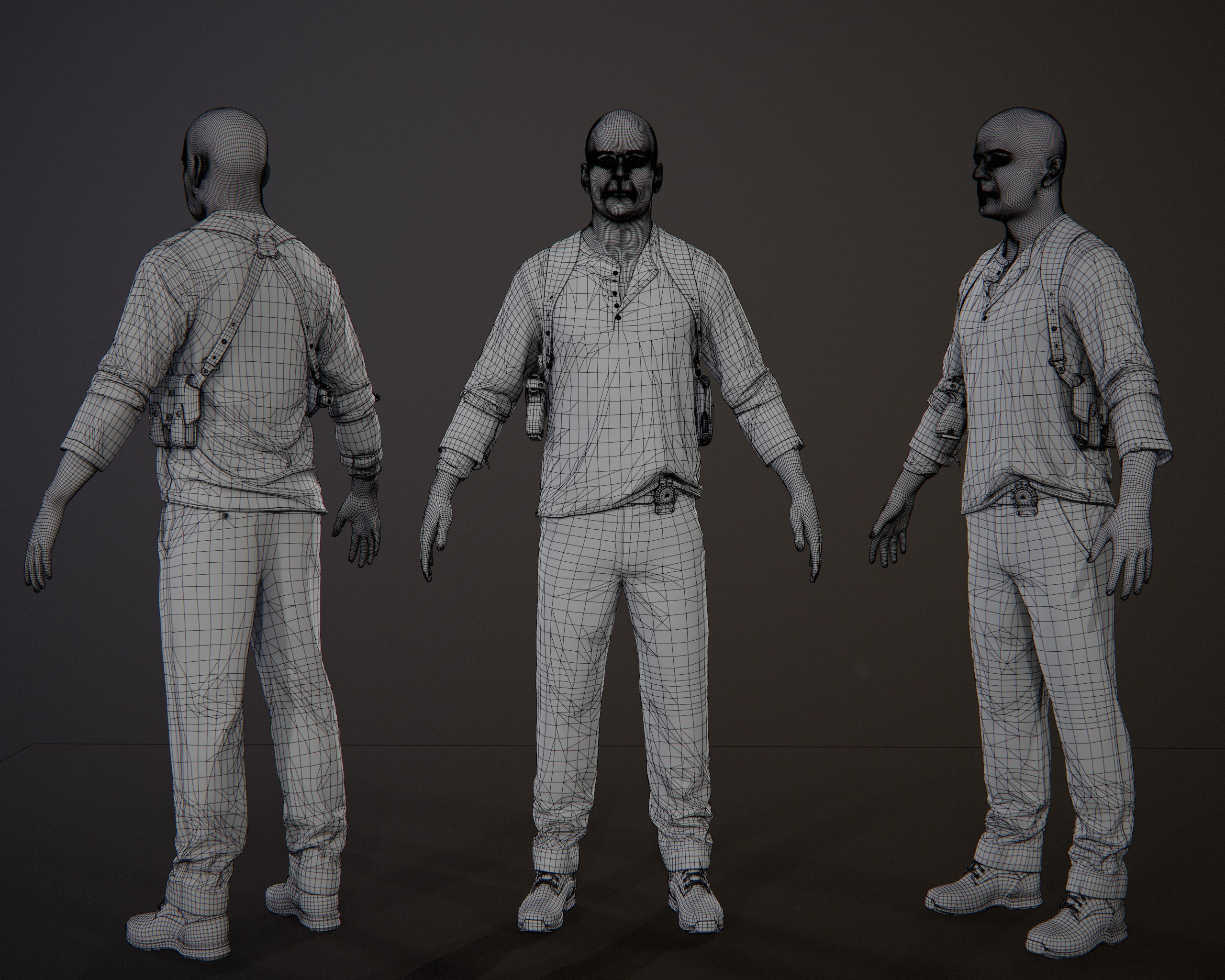
John McClane - real time character
I've been working on this character for quite some time in between jobs, mentorship and other personal projects, but now it's finally done.
Here's my take on Bruce Willis as John McClane in Die Hard 4(Live free or die hard). Thank you all who've been supportive on stream while I've worked on this and let's move on to a new one.
As usual textured and rendered in Marmoset Toolbag.
The whole process was streamed on Twitch and will be available on my Patreon
https://www.twitch.tv/nimlot26
https://www.patreon.com/nimlot
More images and videos here: https://www.artstation.com/artwork/QnvKzB
Cheers!


 nimlot26
Re: LOW-POLY ART
Spooky mummy in hybrid GB/PSX style - 452 triangles, rigged, 32x128 texture
 jameswilddev